

Restaurant POS System for Online and In-Store Orders
Registers, kitchen screens, scheduling, inventory and reporting in one system.
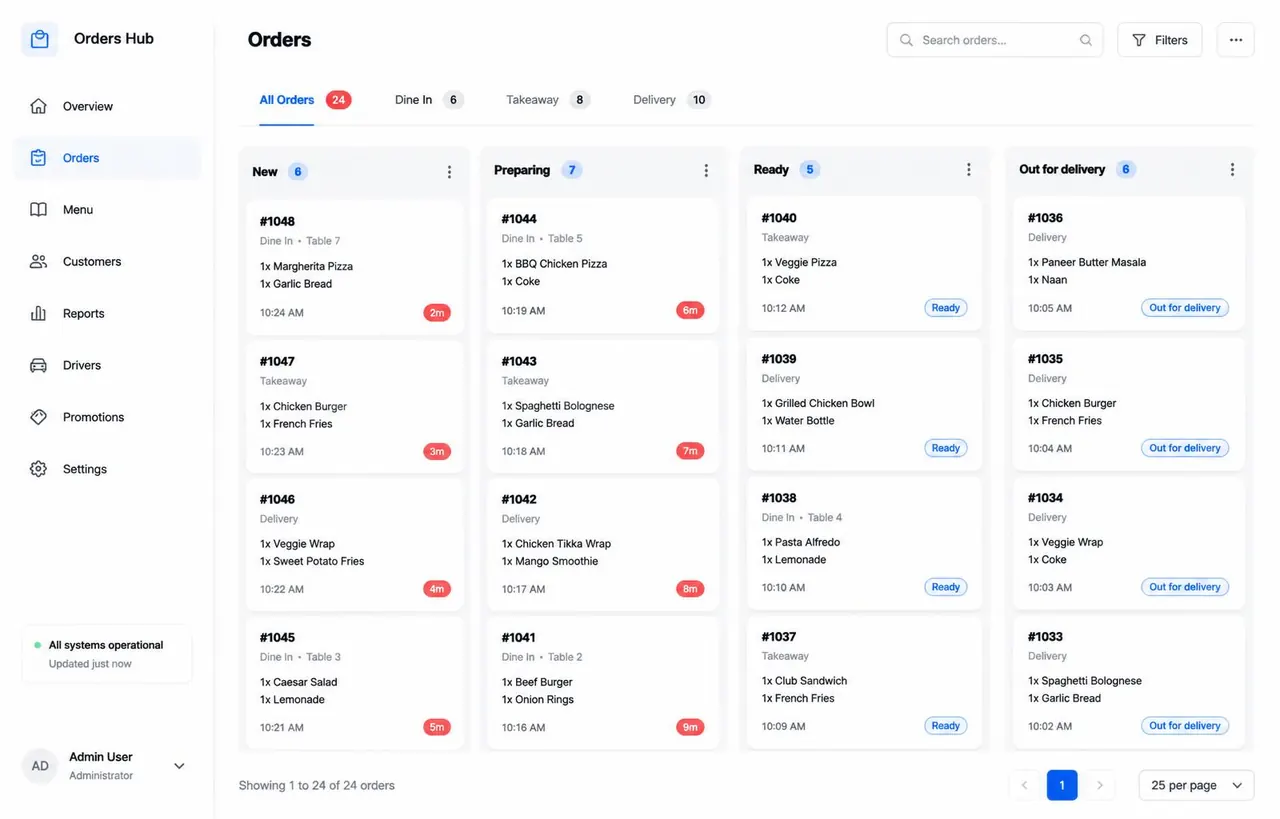
Separate order channels make every shift harder to control.
Counter, table, takeout, and delivery orders should not force your team to jump between disconnected workflows. The Mig Mig POS brings ordering, kitchen routing, staff controls, inventory, and reporting into one operating view.
How to get started
- 01
Set up your menu and service modes
Organize items, prices, and the counter, table, takeout, and delivery paths your location uses.
- 02
Connect the front and kitchen
Route orders to registers and kitchen screens so the right team sees the right work.
- 03
Add staff and operating controls
Configure schedules, clock in access, permissions, inventory, and cash controls for your team.
- 04
Review the operation
Use connected reporting to see activity across in store and online workflows.
Registers, kitchen screens, scheduling, inventory and reporting in one system.
- Counter, table, takeout and delivery orders
- Kitchen screens and order routing
- Staff scheduling, clock in and permissions
- Inventory, cash controls and reporting
In store and online operations share one menu and one connected workflow.
Where this service fits
- Restaurants combining dine in, takeout, and delivery
- Counter service cafes, bakeries, and pastry shops with busy peaks
- Food businesses that need kitchen screens, staff controls, and reporting together
How it works with Mig Mig
The POS can share menu and order information with the Mig Mig marketplace and optional website. That gives the front counter, kitchen, and online channels a more consistent workflow.
Frequently asked questions
Which order types can the POS handle?
The approved scope includes counter, table, takeout, and delivery orders.
Does it include kitchen and staff tools?
Yes. Kitchen screens, order routing, scheduling, clock in, permissions, inventory, cash controls, and reporting are included in the service scope.
How is the service billed?
The POS service is $350 per month, billed monthly in advance. There is no minimum term. Taxes and card processing fees are separate.
Ready when you are
Add the tools your business actually needs
Start with this service, choose another option, or keep only your free Mig Mig marketplace listing. There is no minimum term.